
Should You Use Dynamic Search Ads in 2026?

Building and maintaining large Google Ads campaigns can feel overwhelming. For e-commerce businesses with hundreds or thousands of products, creating individual keyword lists and ads for every item becomes a time-consuming nightmare. Dynamic Search Ads offer a solution that automates much of this process, but are they right for your business?
Dynamic Search Ads use Google’s crawling technology to automatically match user searches with relevant pages on your website, generating headlines on the fly. This automation can save countless hours of campaign building, but it also means giving up significant control over your targeting. Understanding when and how to use this feature can make the difference between campaign success and wasted budget.
What Are Dynamic Search Ads?
Traditional search campaigns rely on keyword lists to trigger your ads. You research terms, build ad groups, write copy, and hope you’ve covered all the relevant queries your potential customers might use. Dynamic Search Ads flip this approach entirely.
Instead of keywords, Google crawls your website directly and matches user search queries to your most relevant pages. The system then generates headlines automatically based on both the user’s query and your page content, whilst you provide the description lines.
When someone searches for something related to your products, Google determines which page on your site best matches their query and creates an ad headline that bridges the gap between their search and your content. The landing page is automatically selected as the most relevant page for that specific query.
This process eliminates the need for extensive keyword research and manual ad creation, though you maintain control over ad descriptions, targeting settings, and which pages Google can use for the campaign.
Who Should Use Dynamic Search Ads?
Dynamic Search Ads aren’t a universal solution. They work best for specific business types and situations. The technology shines when you’re dealing with scale challenges that make manual campaign management impractical.
Large E-commerce Businesses
If you’re selling hundreds or thousands of products, creating individual campaigns for each item becomes impossible. Dynamic Search Ads excel in this environment because they can automatically match long-tail searches to specific product pages without requiring you to predict every possible search variation.
Consider an electronics retailer with 5,000 different products. Building traditional campaigns might cover popular terms like “iPhone 15” or “Samsung laptop,” but miss specific model numbers, colour variations, or technical specifications that customers actually search for.
Sites with Frequently Changing Inventory
Businesses with seasonal products, limited-time offers, or constantly changing stock benefit from Dynamic Search Ads because Google recrawls your site regularly. Traditional campaigns might advertise out-of-stock items or outdated pricing, but dynamic ads adapt to your current content.
When NOT to Use Dynamic Search Ads
Small businesses with limited product ranges should avoid Dynamic Search Ads. If you only offer 10-20 services or products, the manual approach gives you better control and relevancy. You can afford to research keywords thoroughly and craft perfect ad copy for each offering.
Lead generation businesses typically benefit more from manual campaigns where you can control exactly which terms trigger your ads and craft compelling copy that speaks directly to customer pain points.
Advantages of Dynamic Search Ads
Significant Time Savings
The most obvious benefit is time. Instead of spending weeks building keyword lists and writing ads for thousands of products, you can launch campaigns in hours. Google handles the heavy lifting of matching queries to pages and creating relevant headlines.
Better Long-Tail Coverage
Human keyword research misses opportunities. Dynamic Search Ads catch long-tail searches that you might never have considered. These longer, more specific queries often have lower competition and higher conversion rates because they indicate stronger purchase intent.
For example, instead of just targeting “running shoes,” dynamic ads might capture “waterproof running shoes for flat feet size 11” if that specific product exists on your site.
Lower Cost Per Click
Because Dynamic Search Ads excel at long-tail queries, they often achieve lower CPCs than broad match keywords in traditional campaigns. Less competition on specific terms means lower costs and better value for your advertising spend.
Automatic Content Updates
When you update product pages, add new inventory, or change pricing, Dynamic Search Ads automatically reflect these changes. Traditional campaigns require manual updates to stay current with your site content.
Keyword Discovery Tool
Even if you prefer manual campaigns, Dynamic Search Ads serve as excellent keyword research tools. Run a dynamic campaign for a few weeks, then review the search terms report to discover new keywords you can add to traditional campaigns.
Disadvantages and Limitations
Loss of Targeting Control
The biggest drawback is reduced control over which searches trigger your ads. Google decides relevancy based on your site content, which might not align with your business priorities or profit margins.
Generic Ad Copy Challenges
While headlines are dynamically generated, you still write the descriptions manually. Creating descriptions that work well with unknown headlines across multiple product categories becomes challenging, often resulting in generic copy that doesn’t maximise conversion potential.
Potential for Irrelevant Traffic
Automated matching isn’t perfect. You might attract visitors searching for information rather than products, or queries that are technically related to your content but not commercially viable.
Higher Initial Maintenance
Ironically, Dynamic Search Ads often require more monitoring initially. You need to review search terms reports frequently and add negative keywords to prevent irrelevant traffic from wasting your budget.
Dynamic Search Ads vs Google Shopping
Large retailers often wonder whether to use Dynamic Search Ads or Google Shopping campaigns. Both offer automation and scale, but serve different purposes.
Google Shopping works best for visually appealing products where images drive purchasing decisions. The product data feed gives you precise control over what information appears in ads, including pricing, availability, and product attributes.
Dynamic Search Ads excel for products where visuals matter less, or where creating and maintaining product feeds becomes too time-consuming. They also capture more varied search language since they’re not limited to the attributes in your product feed.
Many successful retailers use both. Google Shopping campaigns handle high-volume, visual product searches, whilst Dynamic Search Ads capture long-tail, specific queries that Shopping might miss.
Setting Up Dynamic Search Ad Campaigns
Creating your first Dynamic Search Ad campaign requires careful planning to maximise effectiveness whilst avoiding common pitfalls.
Campaign Setup Process
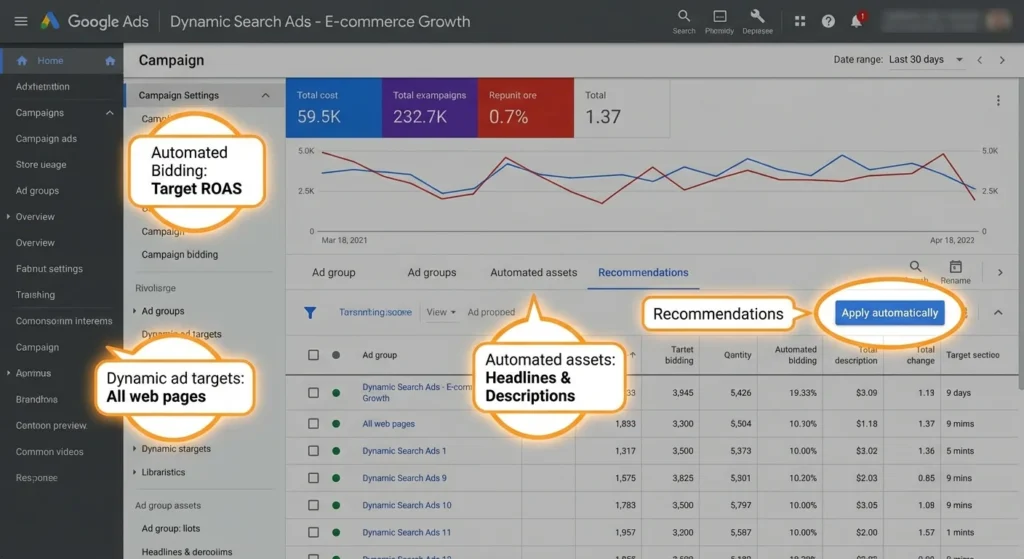
Start by creating a new Search campaign in Google Ads and select “Dynamic Search Ads” as a campaign feature. You’ll need to specify your website domain and choose how much of your site Google should use for targeting.
Resist the temptation to target all web pages initially. This often leads to irrelevant traffic from blog posts, about pages, or other non-commercial content. Instead, specify categories or URL patterns that contain only your products or services.
Targeting Options
Google provides several ways to control which pages get used:
- All web pages: Maximum reach but least control
- Specific categories: Google suggests categories based on your site structure
- Page title conditions: Target pages with specific words in titles
- URL contains: Use URL patterns to include/exclude sections
- Page feeds: Upload a list of specific URLs to target
Ad Creation
You’ll write descriptions but not headlines. Since your descriptions need to work with various dynamically generated headlines, keep them focused on benefits and calls-to-action rather than specific product details.
Create multiple ad variations to test different approaches. One might focus on competitive advantages, another on guarantees or shipping offers, and a third on urgency or scarcity.
Optimisation Best Practices
Use Negative Keywords Extensively
Start with a basic negative keyword list including terms like “free,” “job,” “salary,” and “how to” if they’re not relevant to your business. Monitor search terms reports weekly and add negatives aggressively in the first month.
Implement Proper Site Structure
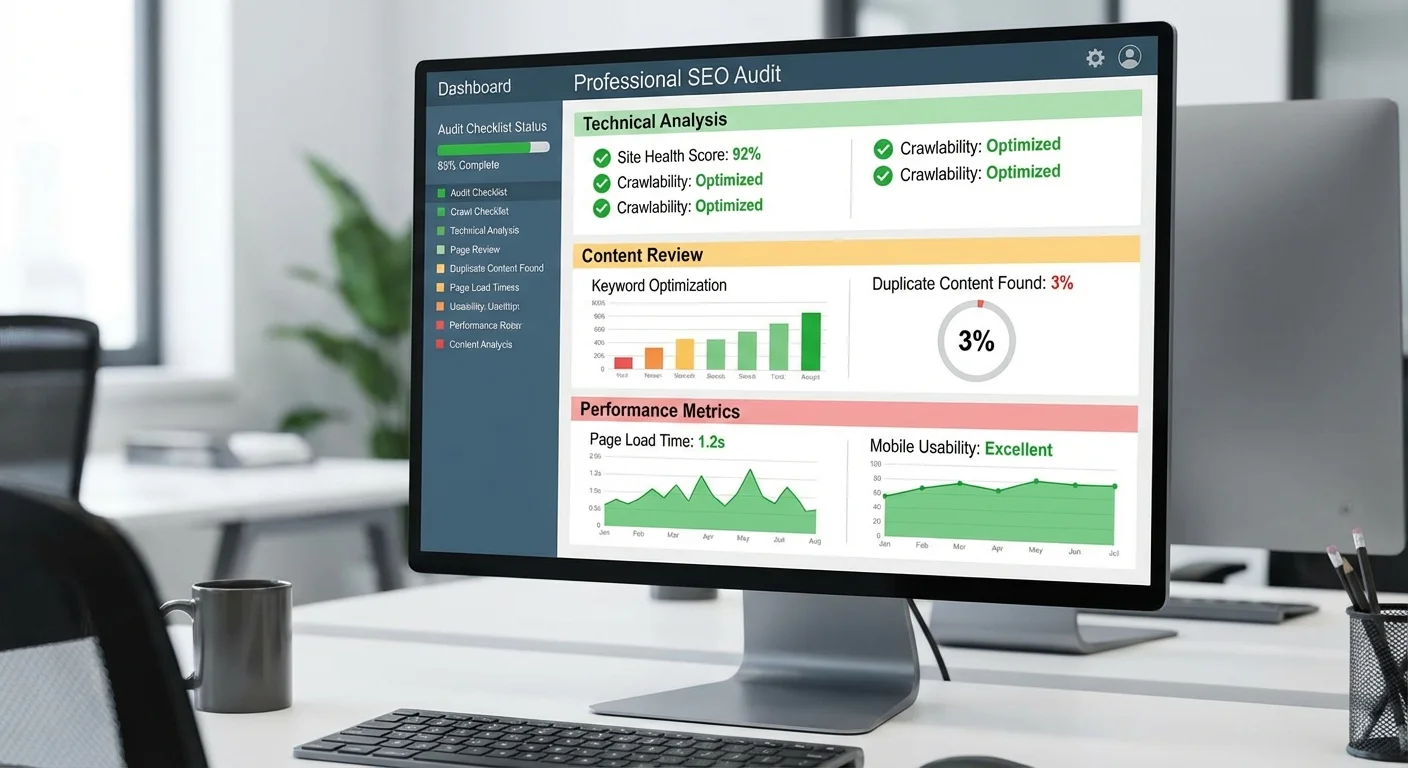
Dynamic Search Ads work best with well-structured websites. Ensure your technical SEO is solid, page titles are descriptive and keyword-rich, and your site architecture makes sense to both users and search engines.
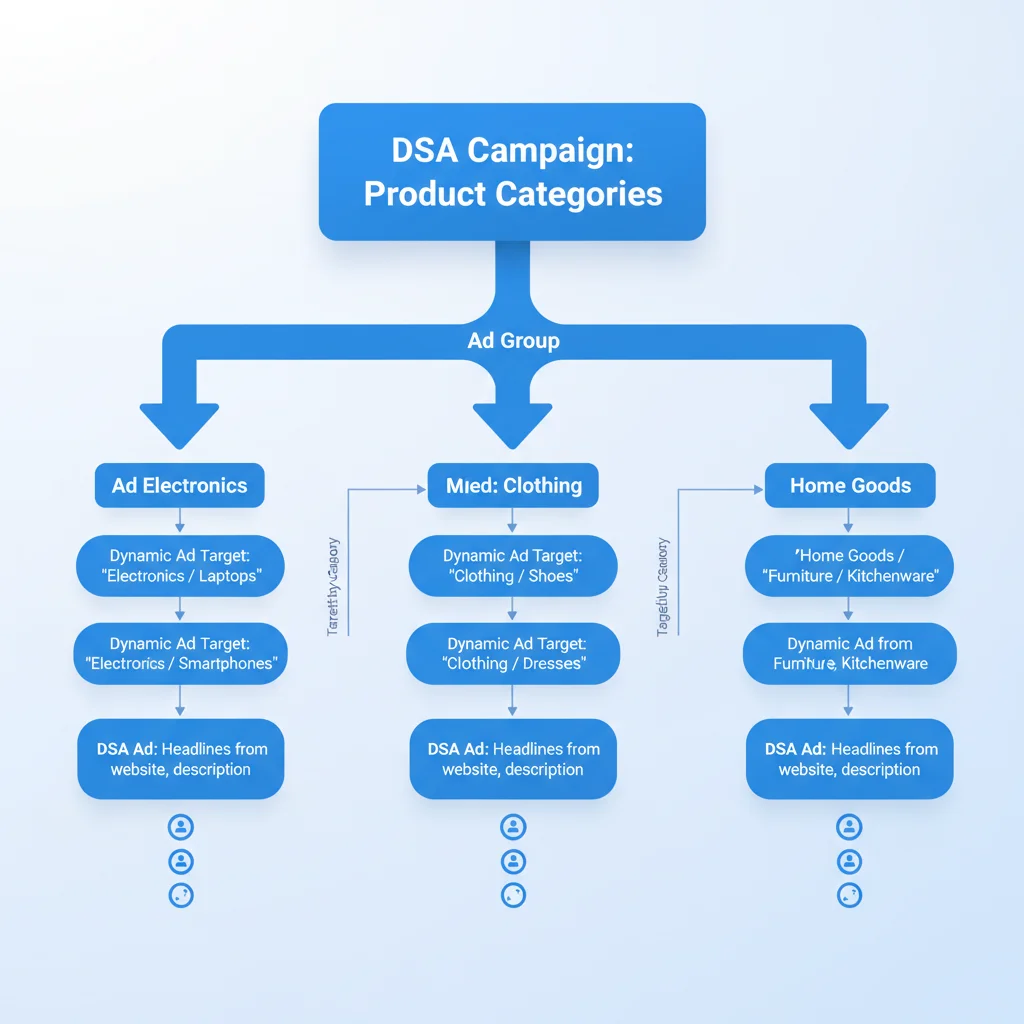
Segment by Product Categories
Create separate ad groups for different product categories or service types. This allows you to write more relevant descriptions and set different bid adjustments based on profitability.
Combine with Automated Bidding
Since you’re already embracing automation with Dynamic Search Ads, consider using automated bidding strategies like Target CPA or Target ROAS. The combination of automated targeting and automated bidding can deliver excellent results for large inventories.
Layer on Remarketing Lists
One of the most effective strategies combines Dynamic Search Ads with remarketing lists for search ads (RLSA). This targets people who’ve already visited your site, significantly improving conversion rates whilst maintaining the broad reach of dynamic ads.
Industry studies show this combination can deliver 109% higher click-through rates and 159% higher conversion rates compared to standard dynamic campaigns.
Advanced Features and Updates
Page Feeds for Precise Control
Page feeds represent the biggest improvement to Dynamic Search Ads in recent years. Instead of relying on Google’s categorisation of your site, you can upload a spreadsheet specifying exactly which pages to use and how to group them.
This feature gives you shopping campaign-like control whilst maintaining the automation benefits. You can exclude specific products, group pages by profitability, or create seasonal campaigns using only relevant inventory.
Expanded Ad Formats
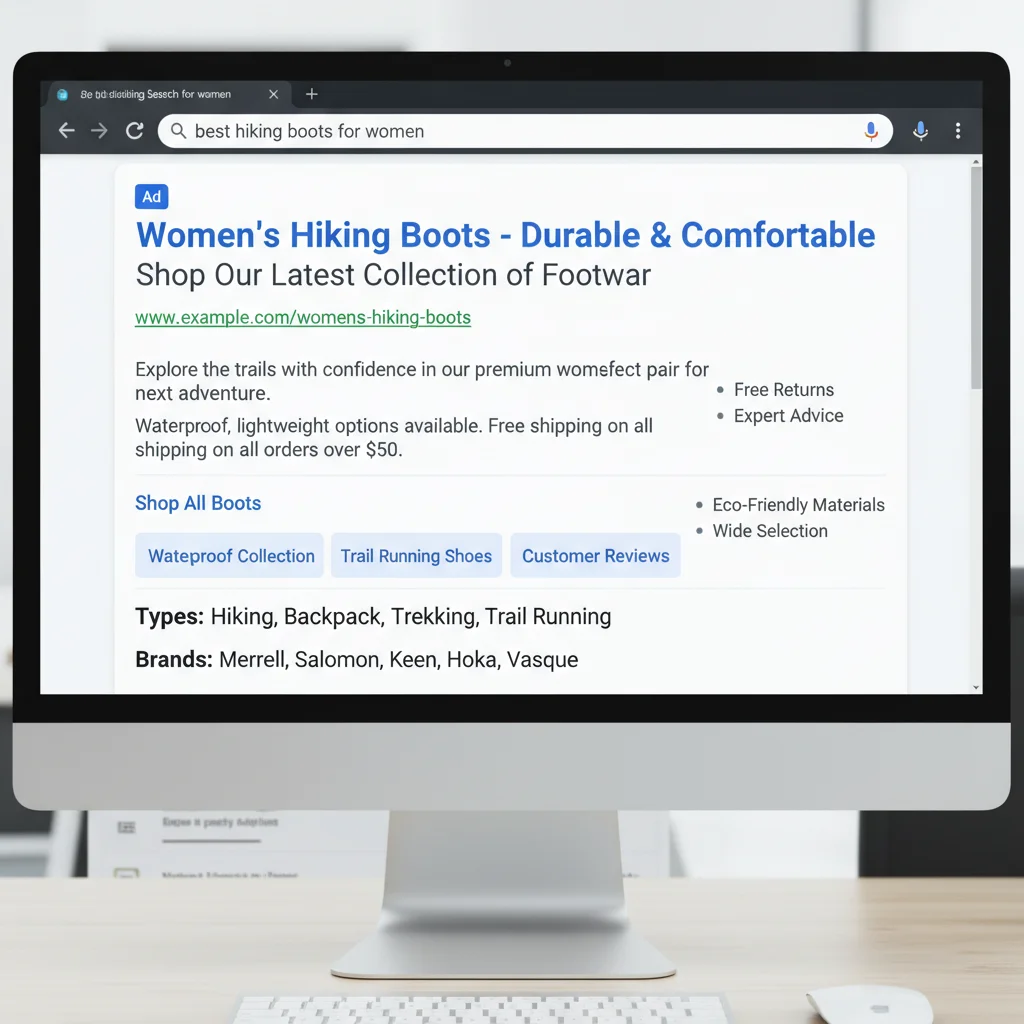
Dynamic Search Ads now support expanded text ads and all standard ad extensions. Don’t neglect these features – sitelink extensions, callout extensions, and structured snippets can significantly improve your ad real estate and click-through rates.
Measuring Success
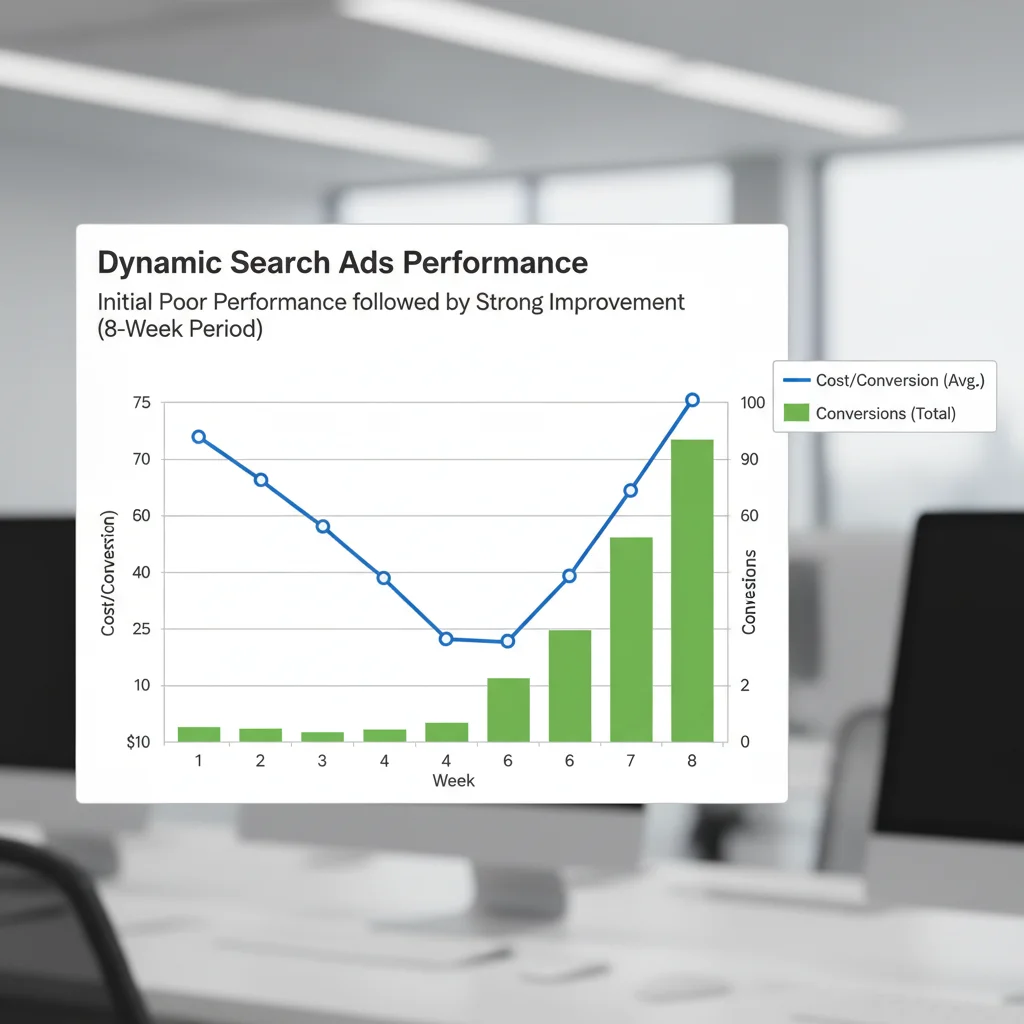
Dynamic Search Ads often perform poorly initially but improve significantly over time as Google’s algorithms learn and you refine negative keywords. Don’t judge performance in the first two weeks.
Focus on these key metrics:
- Search impression share: Shows how much additional traffic you could capture
- Cost per conversion: Often improves over 4-8 weeks as targeting refines
- New keyword discoveries: Track valuable terms found through search terms reports
- Long-tail performance: Monitor how well you’re capturing specific, high-intent searches
Compare performance to your existing search campaigns rather than expecting immediate perfection. The goal is efficient scaling, not necessarily better performance on every metric.
Common Mistakes to Avoid
Many businesses try Dynamic Search Ads for the wrong reasons. Using them simply to save time on small campaigns usually backfires. The automation overhead isn’t worth it unless you’re dealing with genuine scale challenges.
Another common error is inadequate negative keyword management. Plan to spend more time on negatives in the first month, not less. The automation requires initial guidance to perform well.
Finally, don’t set overly restrictive page targeting that defeats the purpose. If you’re only targeting 10-20 pages, you’re probably better off with traditional campaigns where you can craft perfect ads for each page.
The Bottom Line
Dynamic Search Ads work brilliantly for large-scale operations but poorly for small, focused campaigns. If you’re running an e-commerce site with hundreds of products, dealing with seasonal inventory changes, or struggling to keep traditional campaigns updated, they’re worth testing.
The key is approaching them as a scaling solution rather than a time-saving shortcut. They require initial investment in setup, monitoring, and optimisation, but can deliver excellent long-term results for the right businesses.
Start with a small test campaign targeting your most profitable product categories. Monitor performance closely for the first month, building negative keyword lists and refining targeting. If the results justify the effort, gradually expand to cover more of your inventory.
Remember that Google Ads automation works best when combined with human strategy and oversight. Dynamic Search Ads are a powerful tool, but they’re not a replacement for understanding your market, customers, and business goals.
Frequently Asked Questions
How long do Dynamic Search Ads take to optimise?
Dynamic Search Ads typically require 4-8 weeks to reach optimal performance. Initial results may be disappointing as Google’s algorithms learn your site and you build negative keyword lists. Performance usually improves significantly after the first month.
Can I use Dynamic Search Ads with a small product catalogue?
Dynamic Search Ads work best for businesses with hundreds or thousands of products. Small catalogues (under 50 products) benefit more from traditional search campaigns where you can create targeted ads for each item.
Do Dynamic Search Ads work for service businesses?
Service businesses can use Dynamic Search Ads if they offer many different services or have extensive service areas. However, lead generation businesses typically perform better with manual campaigns that allow precise control over ad copy and targeting.
How do I prevent irrelevant traffic in Dynamic Search Ads?
Use negative keywords extensively, especially in the first month. Start with obvious negatives like ‘free’, ‘job’, and ‘how to’. Monitor search terms reports weekly and add negatives based on irrelevant queries that trigger your ads.
Can I control which pages Google uses for Dynamic Search Ads?
Yes, you can control page targeting through categories, URL patterns, page titles, or page feeds. Page feeds offer the most control, allowing you to specify exactly which pages to include and how to group them.
Should I use Dynamic Search Ads instead of Google Shopping?
Both serve different purposes. Google Shopping works better for visual products with good images, whilst Dynamic Search Ads excel for capturing varied search language and long-tail queries. Many retailers use both campaigns simultaneously.